Appearance
Agents
Preview Feature
Agents are in preview and may change. Available to allowlisted tenants only.
AireGlu agents are A2A-compliant autonomous agents that other agents, or any A2A-compatible client, can discover and delegate work to. Each agent is backed by an LLM, configured with a system prompt, advertised skills, and a set of MCP servers that provide its tools.
What is A2A?
A2A (Agent2Agent) is an open protocol for agent interoperability. It defines a JSON-RPC interface and a discovery format ("agent card") so that agents from different vendors can call each other in a standard way.
AireGlu agents implement the A2A protocol via the official a2a-dotnet SDK at A2A protocol version 1.0 (currently shipping as the 1.0.0-preview package).
A2A vs MCP
| MCP | A2A | |
|---|---|---|
| What it exposes | Tools and resources for an LLM to invoke | A whole agent that other agents can talk to |
| Caller | An LLM (via an MCP client) | Another agent or an A2A-compatible client |
| Unit of work | A single tool call | A delegated task with multi-turn conversation |
| Building block | Endpoint → tool/resource | LLM + instructions + skills + MCP servers |
In AireGlu, agents use MCP servers internally. An agent's tools are the tools exposed by the MCP servers attached to it; its skills are the descriptive face it presents to the outside world.
Tenant Access
Agent features are enabled per-tenant. If you don't see AI Tools > Agents in the navigation, contact support to request access for your tenant.
Permissions
Agent usage requires the following claims on your user account:
| Action | Required Claim |
|---|---|
| View agent list | list:AgentConfiguration |
| View agent details | view:AgentConfiguration |
| Create an agent | create:AgentConfiguration |
| Edit an agent | edit:AgentConfiguration |
| Delete an agent | delete:AgentConfiguration |
| Connect a client to an agent | run:Agent |
The first five claims cover agent management in the AireGlu UI. run:Agent is required to authenticate an A2A client against an agent. Without it the client will complete OAuth login but every JSON-RPC call will fail.
Contact your administrator if you do not have the required permissions.
Navigation
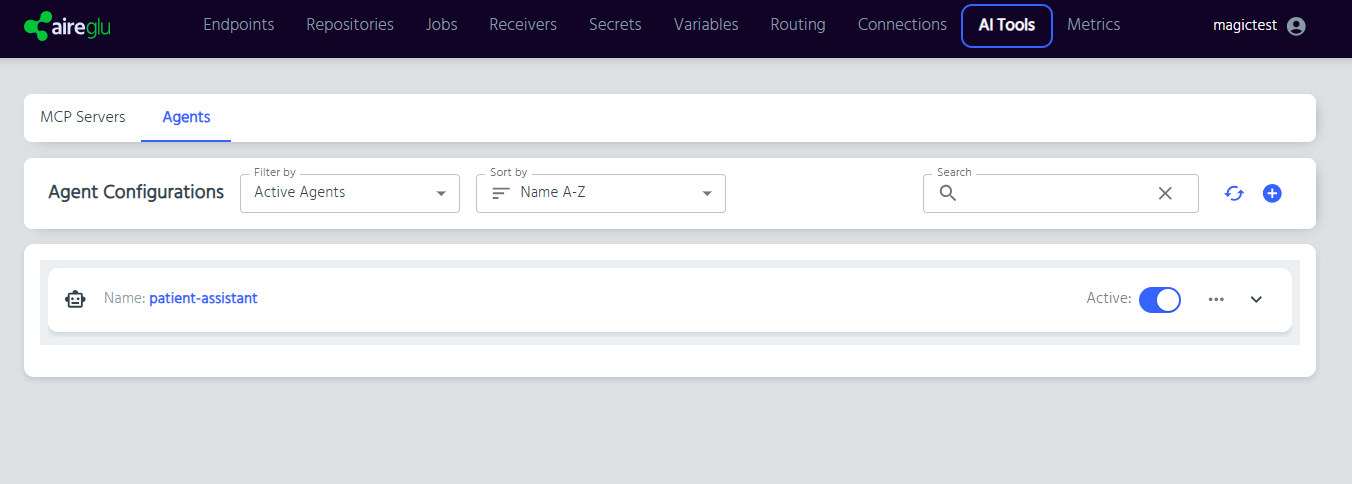
Agents are found under AI Tools > Agents in the main navigation.