Appearance
Client Credentials
The client credentials connection stores the details required to obtain an access token from an OAuth2 or OpenID Connect authorisation server. This is helpful when you may have multiple endpoints or tasks that need to authenticate with the same external service and allows you to centralise and manage these credentials in one place.
Creating a Client Credentials Connection
To add a new Client Credentials Connection:
- Go to the Connections section in AireGlu.
- Click the Add button.
- Select Client Credentials as the connection you want to create
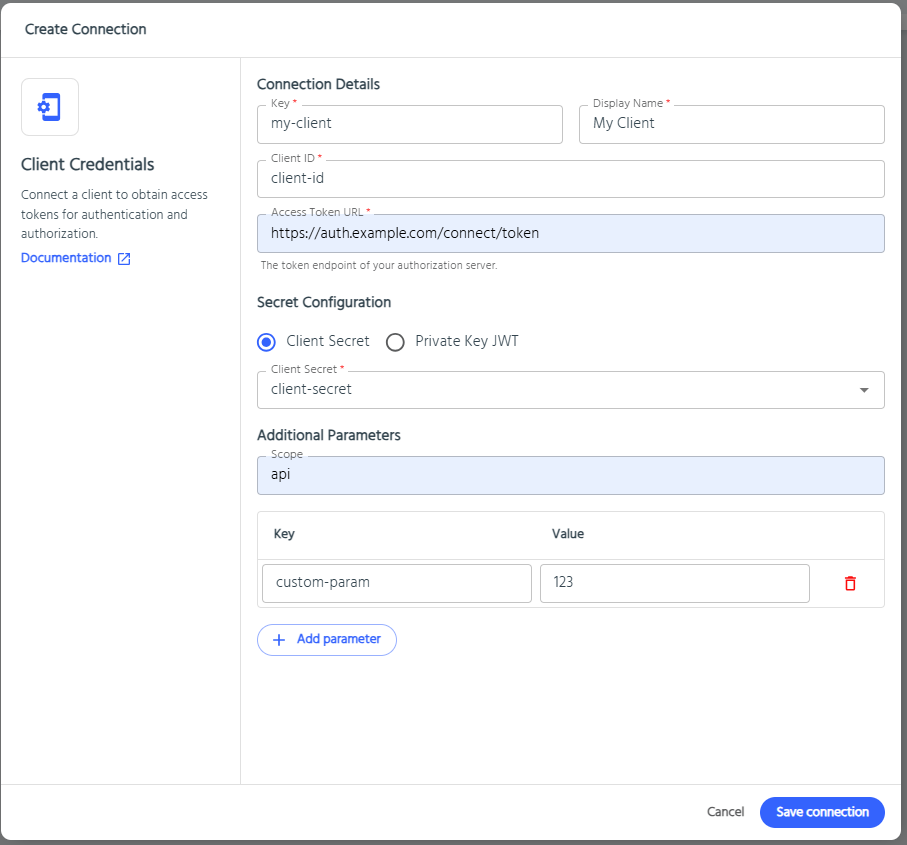
- Fill in the required fields:
- Key: A unique identifier for this connection (e.g.,
my-client). - Display Name: A friendly name for easy reference.
- Client ID: The client identifier registered with your authorisation server.
- Access Token URL: The token endpoint URL provided by your authorisation server.
- Key: A unique identifier for this connection (e.g.,
- Under Secret Configuration, choose how to provide the client secret:
- Client Secret: Reference an AireGlu secret that contains the client secret value.
- Private Key JWT: Reference an AireGlu secret that contains a private key for JWT-based client authentication, and specify the key ID, formats, and signing algorithm as needed.
- (Optional) Add any additional parameters required by your authorisation server (e.g.,
scope). - Click Save connection.
Using a Client Connection in HTTP Request Tasks
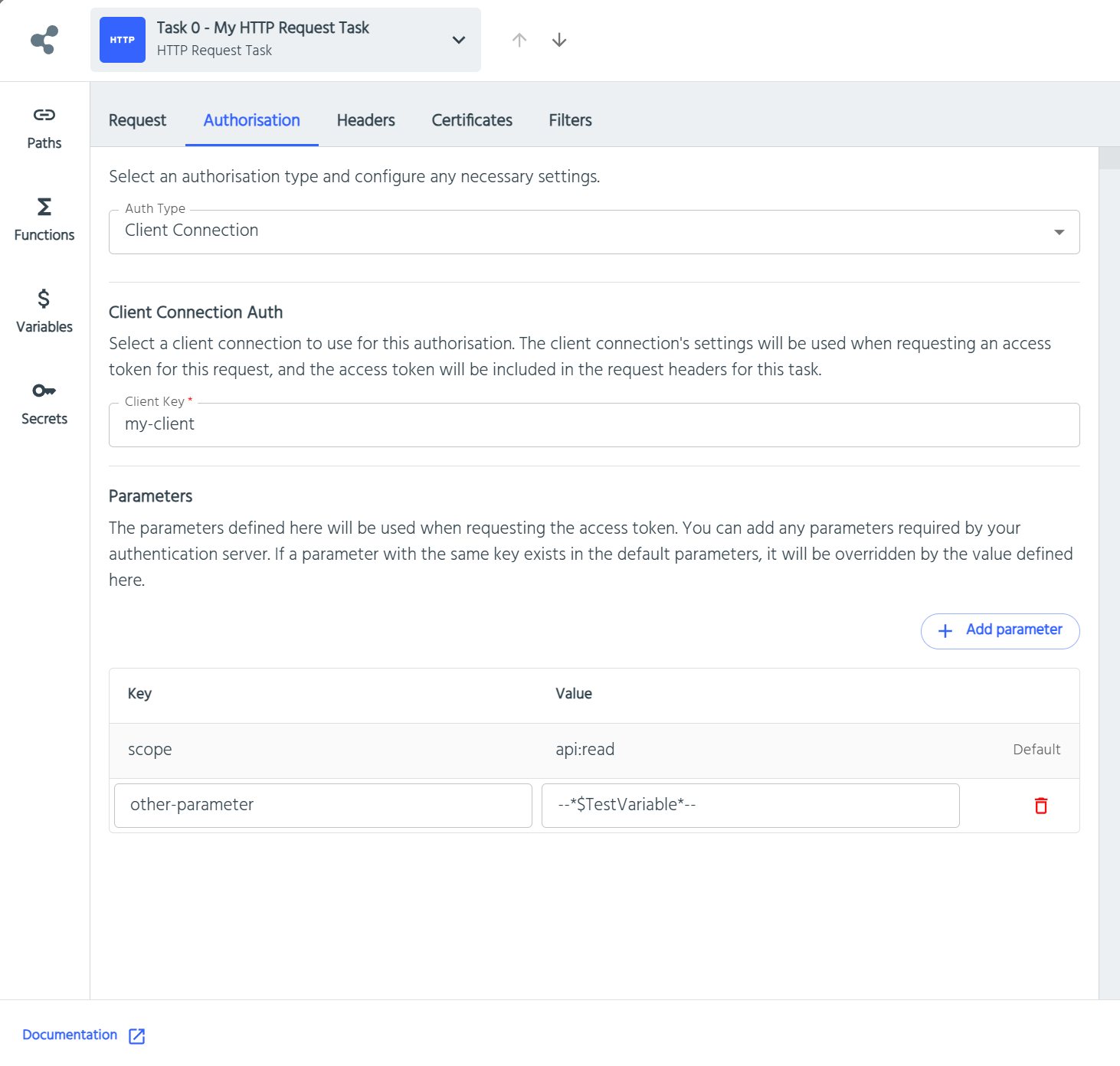
Once you have created a Client Credentials Connection, you can use it to authenticate HTTP requests in your endpoint tasks:
- In your endpoint, add or edit an HTTP Request Task.
- Go to the Authorisation tab.
- Set Auth Type to Client Connection.
- Search and select the desired Client Connection.
- (Optional) Override any parameters (such as
scope) for this specific request.
When the task runs, AireGlu will automatically:
- Request an access token using the configured client connection.
- Inject the resulting bearer token into the HTTP request's
Authorizationheader. - Handle token caching and retries as needed, so you don't have to worry about token management in your endpoint.
- In the event of an authentication failure, the task will log the error details in the metrics under the "Usage Data" tab, allowing you to troubleshoot issues with token retrieval or authentication.
This makes it easy to securely call external APIs that require OAuth2 or OpenID Connect authentication, without manually handling tokens in your workflow.