
Appearance
Connecting MCP Clients
MCP clients connect to AireGlu MCP servers over HTTP using the Streamable HTTP transport with OAuth 2.0 authentication. There are two ways to connect:
- Native MCP connector — for clients that speak HTTP MCP with OAuth directly (e.g. Claude.ai custom connectors). The client connects to the AireGlu URL and handles OAuth itself.
mcp-remoteproxy — for stdio-based clients that don't yet support remote MCP natively (e.g. Cursor, Claude Code). A local proxy bridges stdio to the remote HTTP server.
Connection URI
Every MCP server has a connection URI in the format:
https://<runtime-host>/mcp/<tenancy>/<server-name>To target a specific version:
https://<runtime-host>/mcp/<tenancy>/<server-name>/<version>If no version is specified, the server's default version is used.
Copying the Connection URI
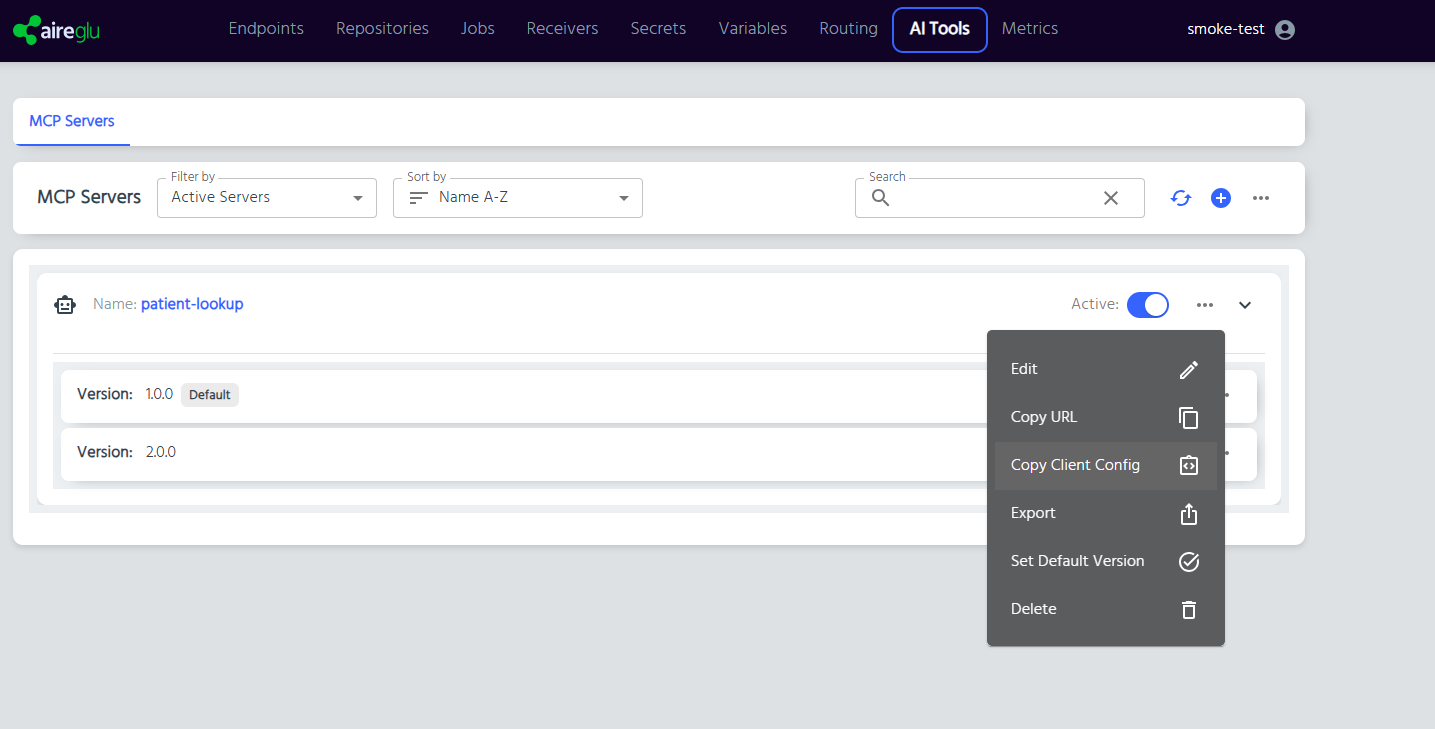
- Navigate to AI Tools > MCP Servers
- Click the three-dot menu on the server row
- Select Copy URL
The URI is copied to your clipboard.
Claude.ai Custom Connector
Claude.ai supports AireGlu MCP servers natively via custom connectors. No proxy or local install is required.
- Copy the connection URI from AireGlu (see above)
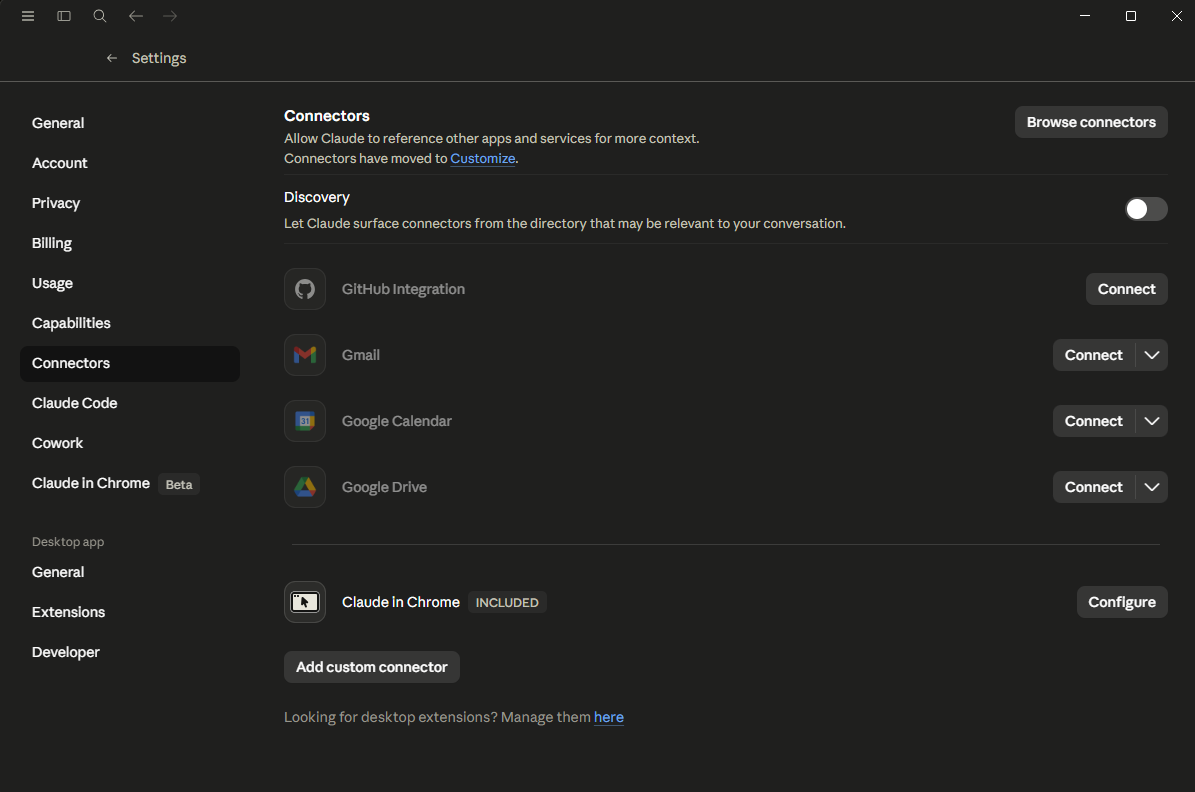
- In Claude.ai, open Settings > Connectors
- Click Add custom connector
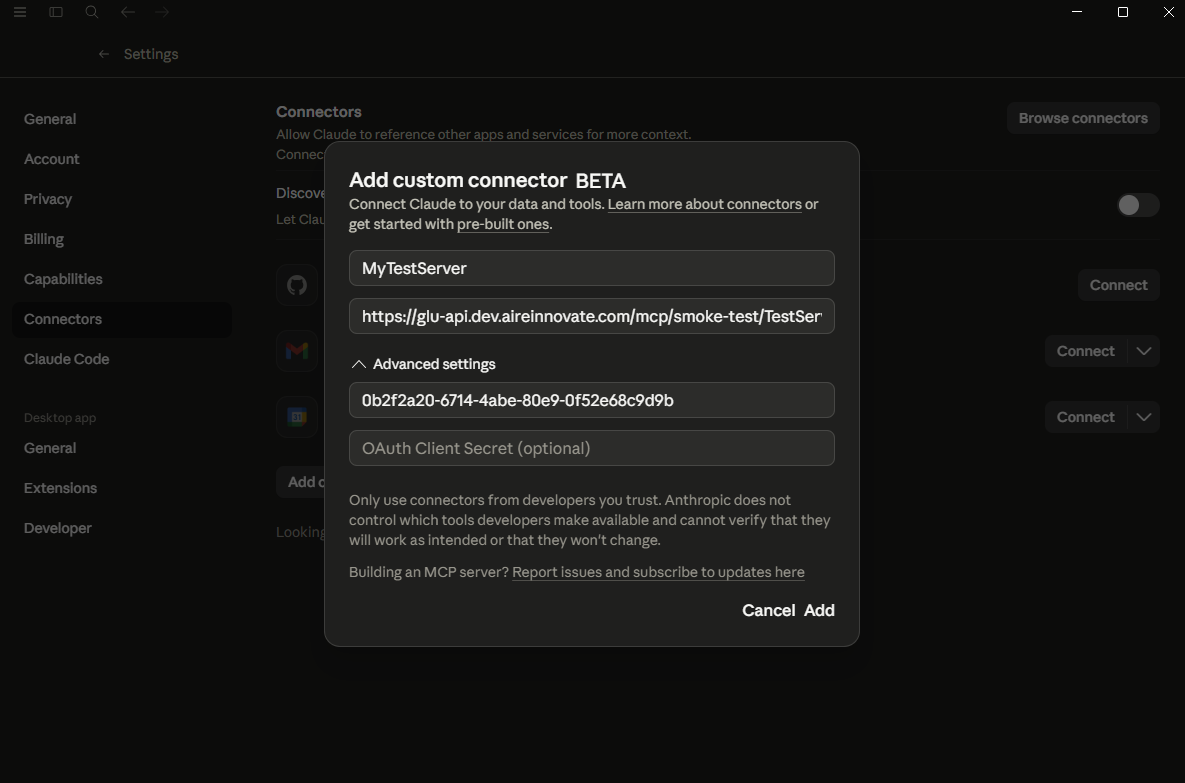
- Give the connector a name and paste the AireGlu connection URI into the URL field
- Click Add
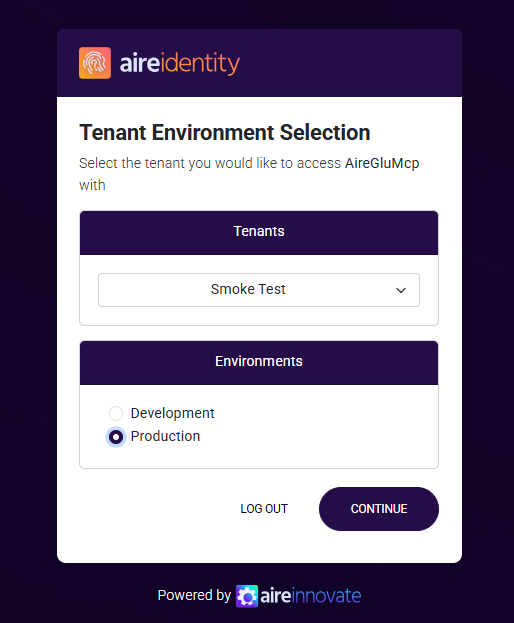
- Sign in to AireGlu in the popup window when prompted
- The connector's tools and resources are now available in Claude conversations
Authentication
AireGlu MCP servers use OAuth 2.0 for authentication. Native clients handle the flow themselves; the mcp-remote proxy handles it on behalf of stdio-based clients.
- The client discovers the OAuth metadata via the
/.well-known/oauth-protected-resourceendpoint - The client obtains a JWT token from the authorization server
- The token is included as a Bearer token in subsequent MCP requests
- AireGlu validates the token and extracts the user identity
The required OAuth scope is AireGluMcp.
On first connection, the client opens a browser window for you to authenticate. After successful authentication, the token is cached and reused.
mcp-remote Proxy
For stdio-based clients (Cursor, Claude Code, older Claude Desktop), use the mcp-remote proxy. AireGlu generates a ready-to-use client configuration block.
Copy Client Config
- Click the three-dot menu on the server row (or a specific version row)
- Select Copy Client Config
- Paste the configuration into your client's config file
The generated configuration uses the mcp-remote proxy and includes the OAuth client details:
json
{
	"mcpServers": {
		"<server-name>": {
			"command": "mcp-remote",
			"args": [
				"https://<runtime-host>/mcp/<tenancy>/<server-name>",
				"2292",
				"--static-oauth-client-info",
				"{\"client_id\":\"<client-id>\",\"scope\":\"AireGluMcp\"}",
				"--timeout",
				"300"
			]
		}
	}
}
TIP
Version-specific configs are available from the three-dot menu on individual version rows within the expanded server list.
Installing mcp-remote
mcp-remote is an npm package that bridges stdio-based MCP clients to remote HTTP servers with OAuth support. Install it globally:
bash
npm install -g mcp-remoteOr use npx (no installation required) — replace "command": "mcp-remote" with "command": "npx" and prepend "mcp-remote" to the args array:
json
{
	"mcpServers": {
		"<server-name>": {
			"command": "npx",
			"args": [
				"mcp-remote",
				"https://<runtime-host>/mcp/<tenancy>/<server-name>",
				"2292",
				"--static-oauth-client-info",
				"{\"client_id\":\"<client-id>\",\"scope\":\"AireGluMcp\"}",
				"--timeout",
				"300"
			]
		}
	}
}
Client Setup
Claude Desktop
- Copy the client config from AireGlu
- Open Claude Desktop settings
- Navigate to the MCP servers configuration (Developer > Edit Config)
- Open the
claude_desktop_config.jsonfile - Merge the copied configuration into the
mcpServersobject - Save and restart Claude Desktop
Cursor
- Copy the client config from AireGlu
- Open Cursor settings
- Navigate to MCP settings
- Add a new MCP server using the copied configuration
- Save and restart Cursor
Claude Code
- Copy the client config from AireGlu
- Add the server to your project's
.mcp.jsonor global MCP configuration - Restart the Claude Code session
Troubleshooting
| Issue | Cause | Fix |
|---|---|---|
| Connection refused | Server or version is inactive | Check the Active toggle on both the server and version |
| 401 Unauthorized | Invalid or expired token | Re-authenticate by removing cached credentials and reconnecting |
| 405 Method Not Allowed | Client attempted SSE connection | Ensure your client uses Streamable HTTP transport, not SSE. AireGlu only supports HTTP POST for MCP requests |
| Tool/resource not found | Endpoint is inactive or misconfigured | Check the endpoint is active and the target endpoint still exists |
| No tools listed | Version has no active endpoints | Add and activate at least one endpoint in the version configuration |