
Appearance
HTTP Request Task
The HTTP Request task is used to communicate with external services. You can use this to send data to your APIs, or fetch data from other sources.
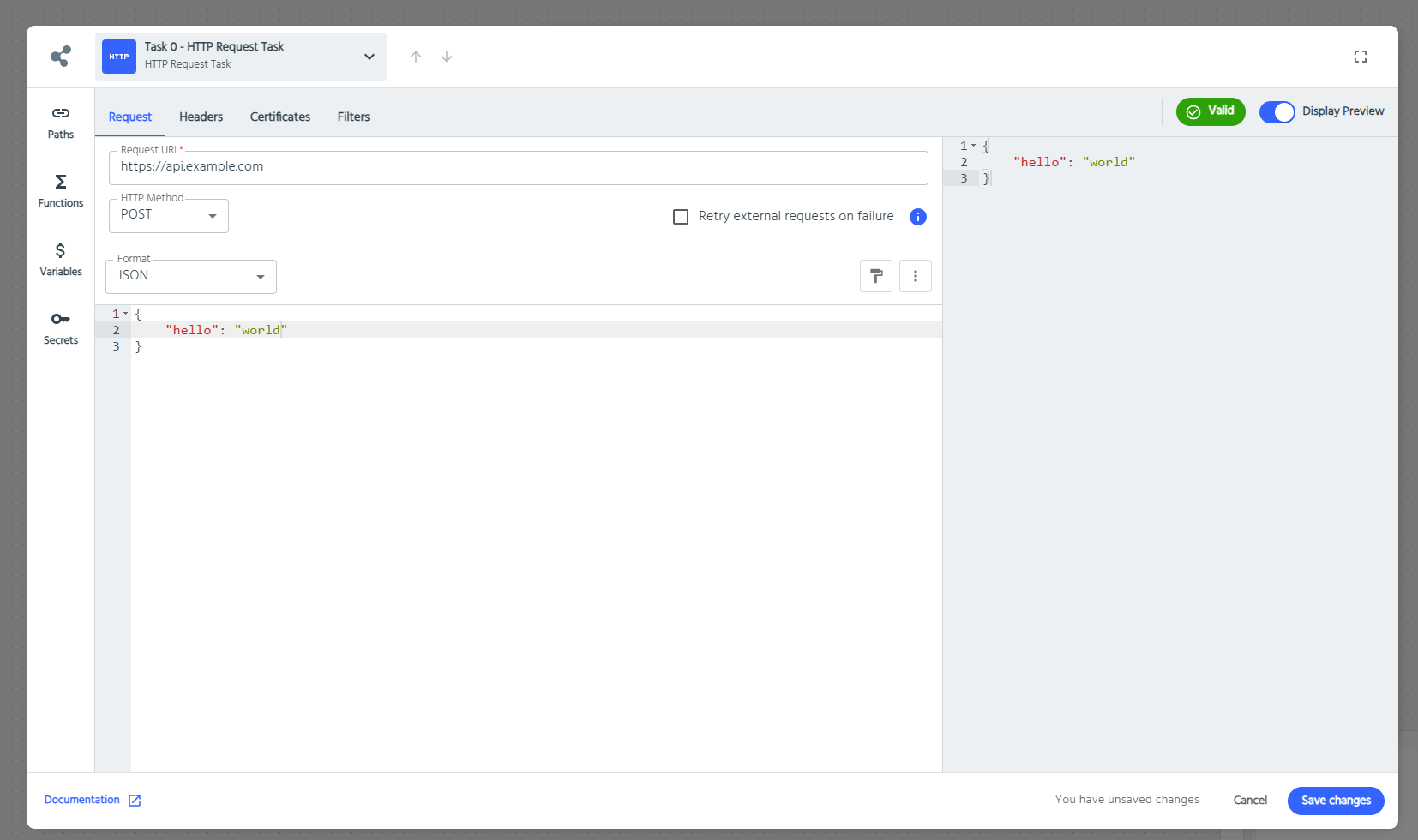
Creating a Request
The URL field is the request address, with the HTTP method defined to its right. The following HTTP Verbs are accepted: POST, GET, PATCH, PUT, DELETE, HEAD, OPTIONS, and TRACE. The payload can be provided by URL query string, or by body content.
Retry requests on failure
If selected, AireGlu will automatically retry the request if it fails due to temporary issues like network problems or server unavailability:
- HTTP 500 and above (Server errors)
- HTTP 408 (Request timeout)
- HttpRequestException
- TimeoutRejectedException
AireGlu will not retry the request for errors like authentication failures or invalid input.
The request will be retried twice (in addition to the initial request) with a starting delay of 2 seconds and an exponential back-off.
Authorisation
The HTTP Request task supports an authentication via the Auth Type field under the Authorisation tab. The following options are available:
- None: No authentication will be used.
- Client Connection: Select a pre-configured Client Connection to automatically obtain and use an access token for authentication. Read more about Connections in the Connections documentation.
Headers
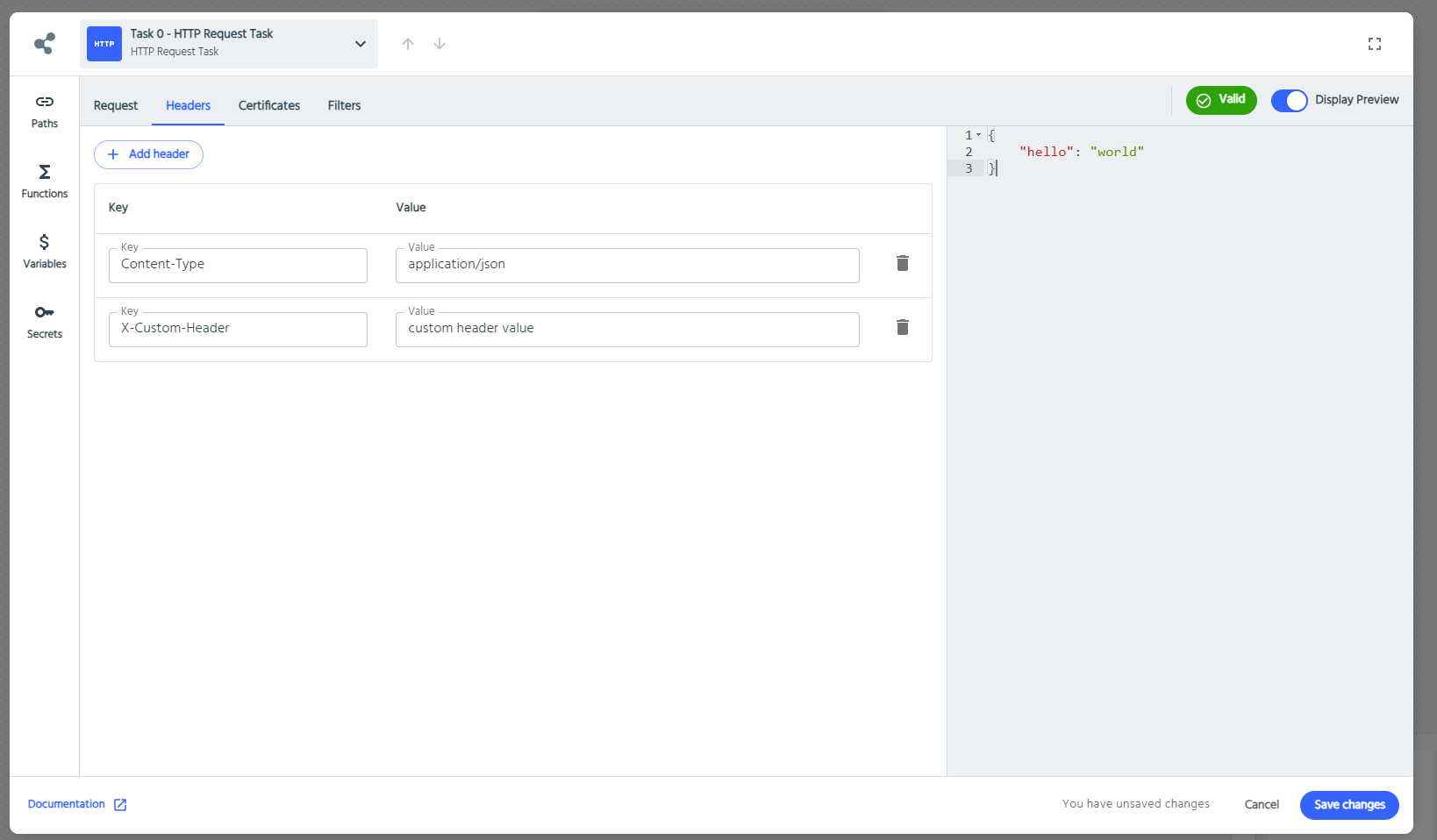
Some headers will be automatically added, such as content-type, which will correspond to the select format of your request.
Some requests may require additional headers to work correctly. E.g. for authentication. By expanding the Headers section, you can add headers to the request. The Header field contains the Key, and one or more values can be added.
Certificates
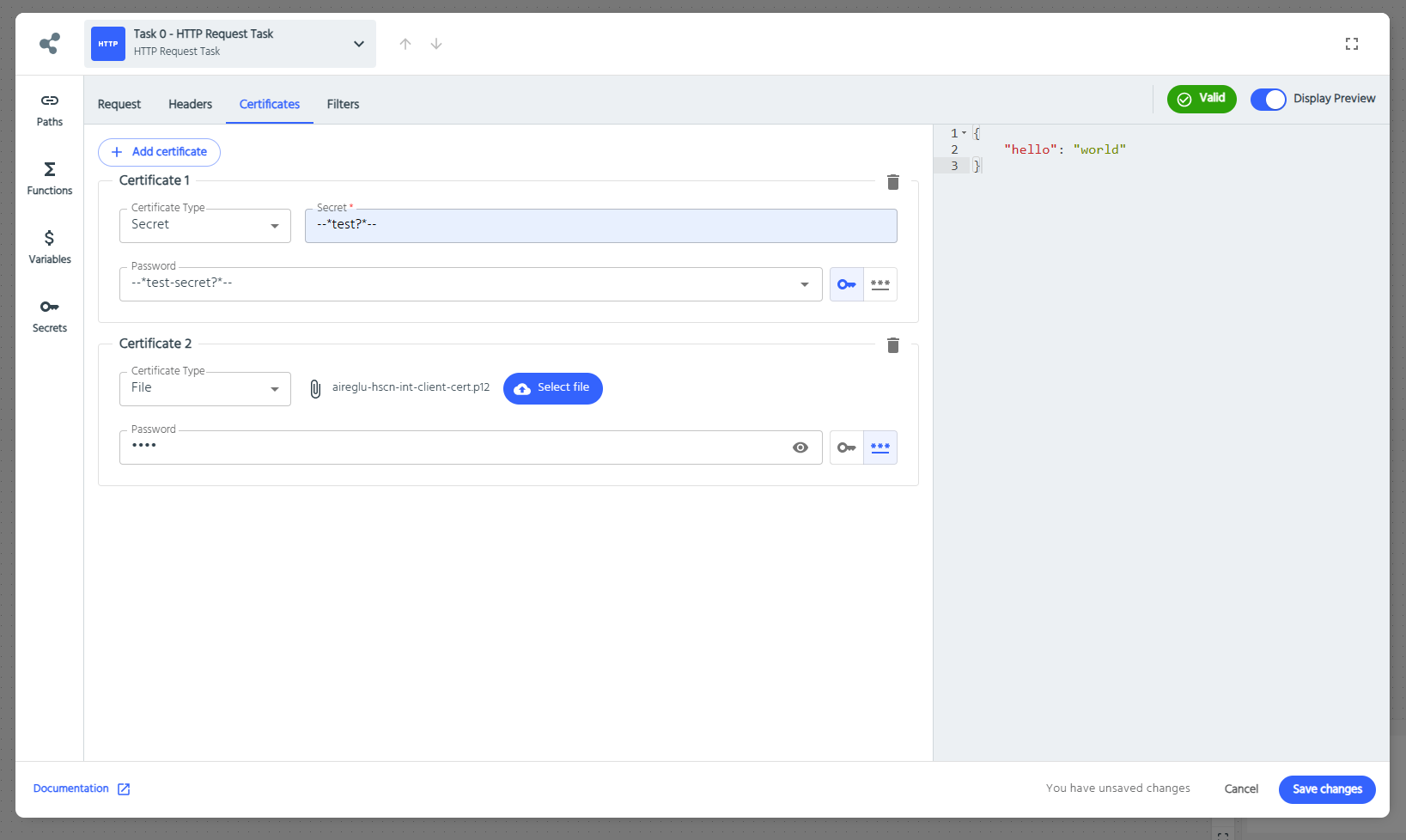
Certificates are used for client authentication via Mutual TLS. For the most part, this is not required, but some services may need this. The client certificate should be bundled with the private key in a PKCS#12 ( or .pfx) format, and it should be password protected.
Certificates can be stored in two ways:
- Within the endpoint definition itself (certificate type -
File) - Stored as an AireGlu Secret and referenced in the
Secretfield
Stream Input
If your endpoint's input format is set to Stream, you can forward that raw input straight through as the request body, without it being decoded or re-encoded.
Set the request body's Format to Stream. The body editor defaults to the template:
{{input.stream}}This is a literal passthrough token, not a Liquid expression to be evaluated. When the body consists of only this token (or the equivalent --*stream*-- token), AireGlu sends the endpoint's raw input stream straight through byte-for-byte, skipping the usual mapping/transform step entirely.
A few things to note:
- This only forwards the endpoint's own input - it can't be used to forward a stream produced by an earlier task (e.g. an HTTP Response Handler's stream output).
- It only works when the token is the entire body. Anything else in the template means the stream is not passed through raw.
- No
content-typeheader is added automatically for a Stream body - add one yourself under Headers if the destination needs it.
Stream Response
It is now possible to receive binary streams from an HTTP Request task, such as when requesting content with media types like image/jpeg or application/pdf.
Limitations
- Streams from an HTTP Request task cannot currently be mapped into another task.
- To return a binary stream from your endpoint, the HTTP Request task must be the final output of the endpoint's execution pipeline.