
Appearance
AireGlu Endpoint Request Task
The AireGlu Endpoint Request task is used to easily make calls to your other endpoints without the need to use the HTTP Request task. Many of the concepts will already be familiar to you if you have used the HTTP Request task in the past.
Creating a Request
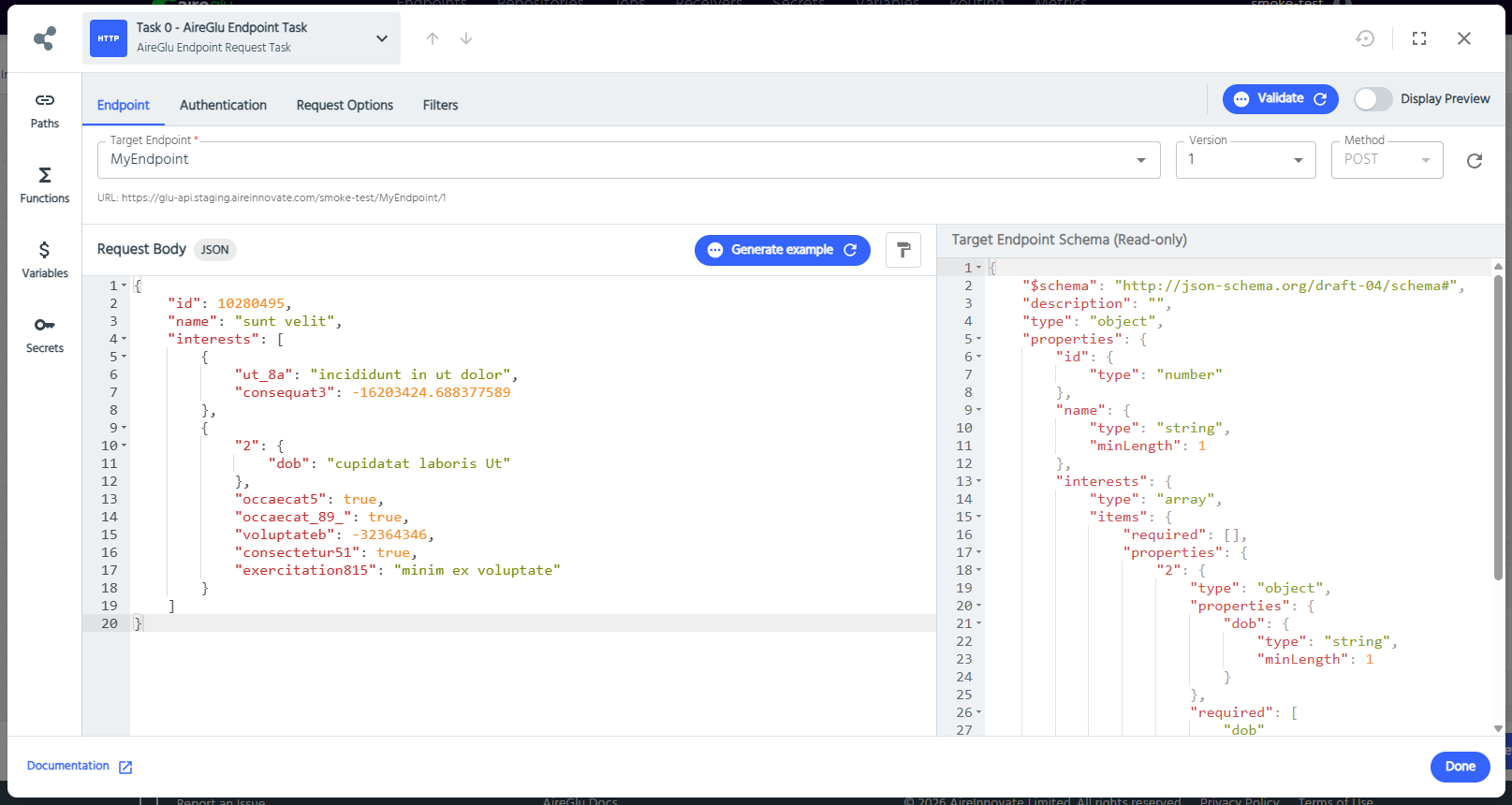
Select the target endpoint you would like to call from the dropdown, and this will pull in the relevant configuration details such as version options, schema, as well as any required authentication for you to fill in.
Authentication
Depending on your referenced endpoint, you may need to click on the Authentication tab and fill in the relevant required authentication settings.
Request Options
Retry requests on failure
If selected, this request will be retried in the same conditions as a HTTP request task
Headers
Some headers will be automatically added, such as content-type, which will correspond to the format of request body.
Some requests may require additional headers to work correctly. By clicking on the Request Options tab, you will be able to add headers to the request. The Header Name field contains the Key, and one or more values can be added.
Query Parameters
Similarly to headers, you may also want to add some query parameters to your request. This can easily be done in the same way as you would add a header, by going to the Request Options tab and adding the parameters as key-value pairs.
Stream Input
If the target endpoint's request body format is Stream, this works the same way as the HTTP Request task's Stream Input.
Resyncing
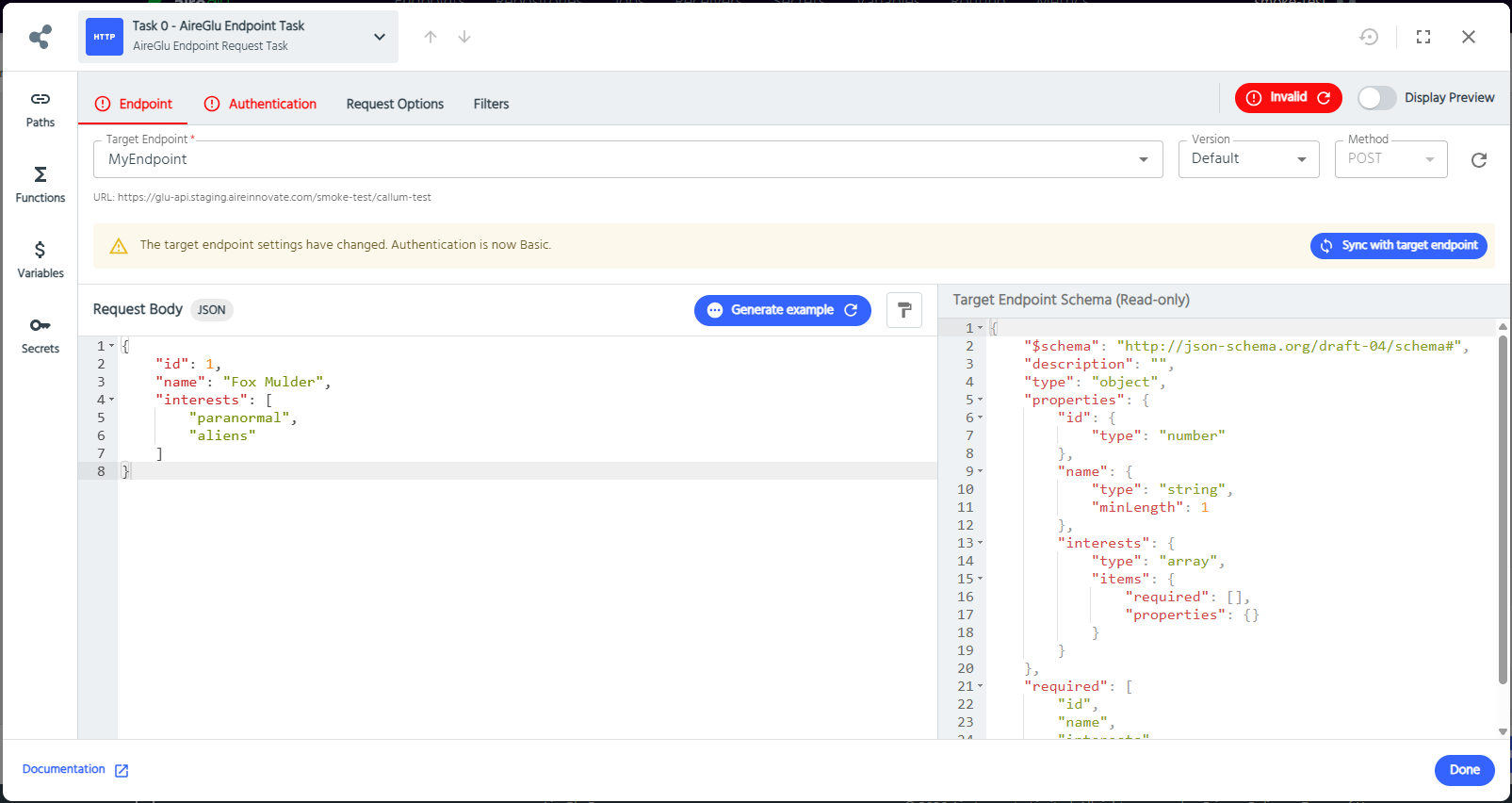
Whenever changes are made to the endpoint you are referencing, you will see a warning that you need to sync the latest changes. This could be something such as a schema change or authentication change.
Further information
- Limitations: Status code retention is not currently supported (off by default)